Subscription & Plan
View your current plan and manage your subscription. Navigate to Settings > Subscription to access these options.
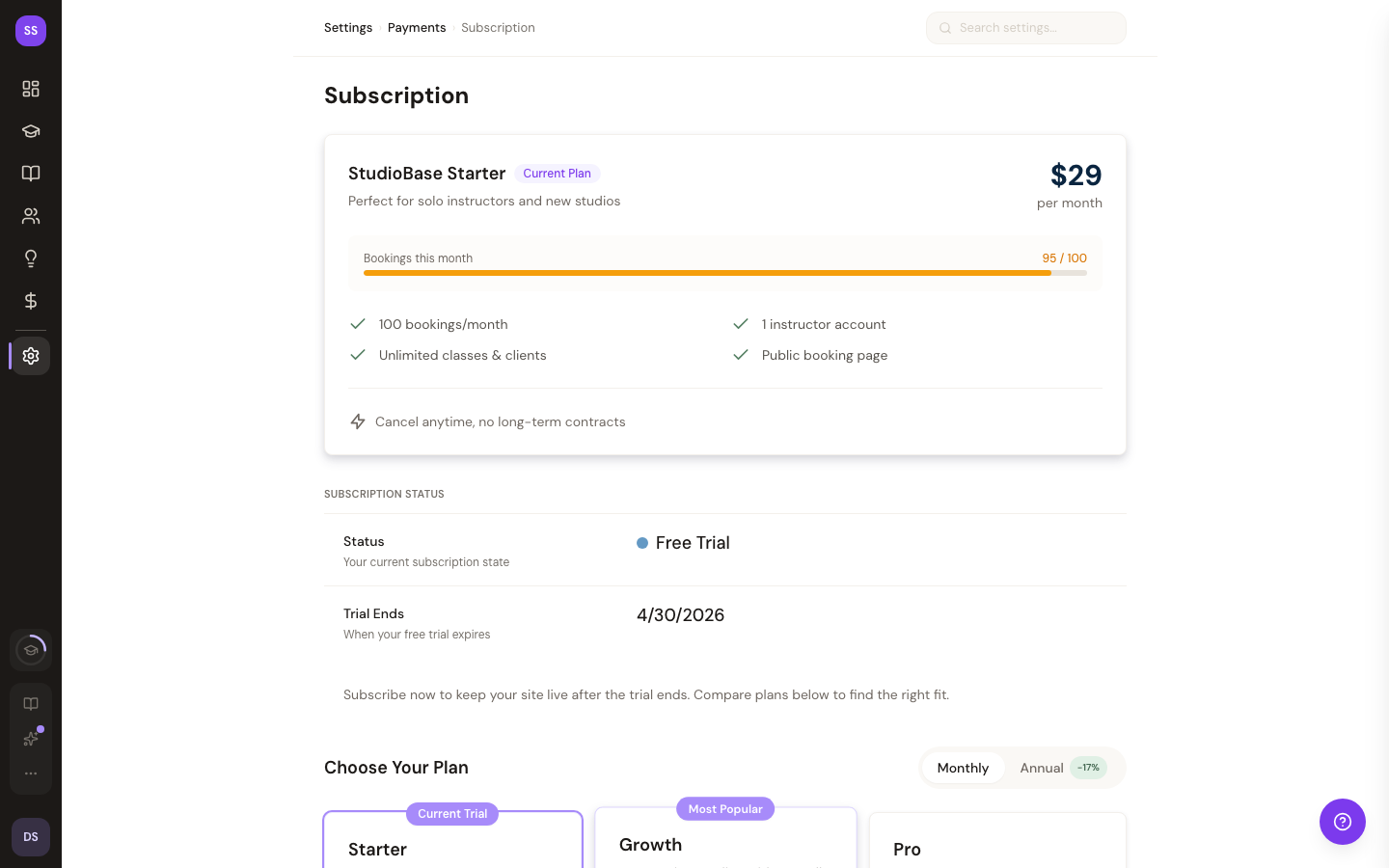
Current Plan Overview
The subscription page displays a card with your current plan details:
- Plan name -- Starter, Growth, or Pro
- Monthly price
- Included features for your tier
- Booking activity -- bookings made this month (unlimited on every plan — nothing to manage here)
Plan Tiers
| Feature | Starter ($29/mo) | Growth ($59/mo) | Pro ($99/mo) |
|---|---|---|---|
| Monthly bookings | Unlimited | Unlimited | Unlimited |
| Instructor accounts | 1 | 5 | Unlimited |
| Class reminders | Yes | Yes | Yes |
| Client notes | Yes | Yes | Yes |
| Custom booking fields | Yes | Yes | Yes |
| Waitlists | Yes | Yes | Yes |
| Expiring class packs | Yes | Yes | Yes |
| QR self check-in | Yes | Yes | Yes |
| Instructor portal | -- | Yes | Yes |
| Rewards program | -- | Yes | Yes |
| AI assistant access (MCP) | -- | Yes | Yes |
| Custom domain | -- | -- | Yes |
| White-label booking page | -- | -- | Yes |
| Advanced reporting | -- | -- | Yes |
| API access | -- | -- | Yes |
For a full comparison of features, see Pricing & Billing.
Subscription Status
Your subscription status is displayed at the top of the page:
- Active -- your subscription is current and in good standing
- Free Trial -- you are in your free period: free until your first $500 in online bookings (cash payments don't count). After you pass $500 you have 14 days to choose a plan, and the date is shown
- Past Due -- a payment has failed; update your payment method to avoid interruption
- No Subscription -- no active plan; choose a tier to get started
Additional details shown when applicable:
- Next billing date
- Trial end date
- Auto-renew status
Upgrading Your Plan
- On the Subscription page, review the available tiers above your current plan
- Click Upgrade to [Tier Name]
- Confirm the upgrade
Upgrades take effect immediately.
Managing Billing & Payment Methods
Click Manage Billing & Payment Methods to open the Stripe Customer Portal, where you can:
- Update your credit card or payment method
- View past invoices
- Download receipts
Cancelling Your Subscription
- Click Cancel Subscription
- Review the confirmation dialog
- Confirm the cancellation
Your subscription remains active until the end of the current billing period. You will not be charged again after cancellation.
Need Help?
Contact support@studiobase.org for subscription or billing questions.
Last updated October 3, 2026