Billing Settings
Configure your business details for invoices and customer receipts. Navigate to Settings > Billing to manage these fields.
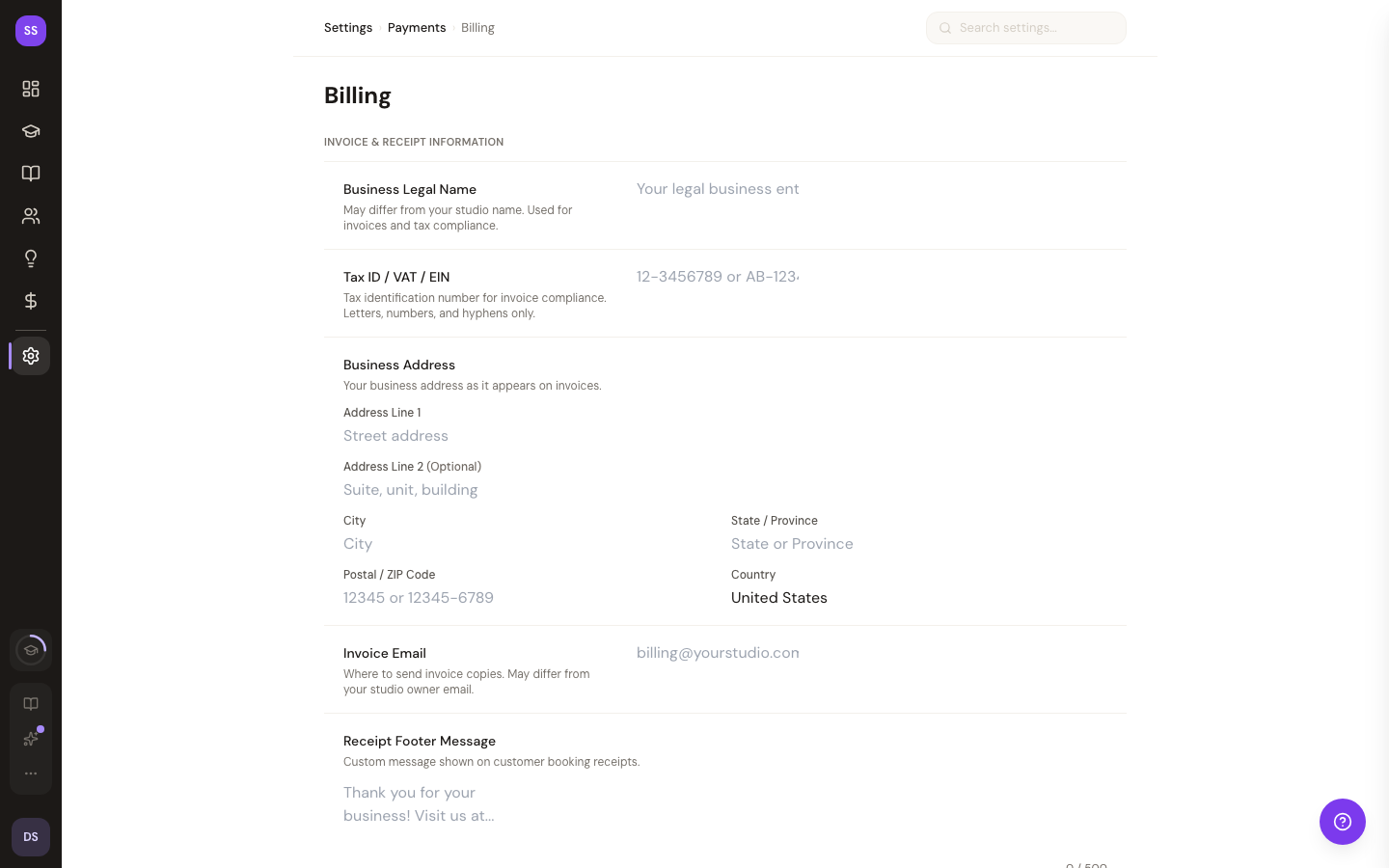
Business Information
- Business Legal Name -- your registered business name, which may differ from your studio's display name (max 200 characters)
- Tax ID / VAT / EIN -- your tax identification number for invoice compliance (max 50 characters)
Invoice Address
Provide the address that appears on your invoices:
- Address Line 1
- Address Line 2 (optional)
- City
- State
- Postal Code
- Country (defaults to "United States")
Additional Fields
- Invoice Email -- the email address where invoice copies are sent; this can differ from your studio owner email address
- Receipt Footer Message -- a custom message displayed at the bottom of customer booking receipts (max 500 characters); useful for thank-you notes, return policies, or studio contact information
Field Requirements
All fields are optional except Country, which defaults to "United States." Fill in as much or as little as your business needs.
Saving Your Changes
After updating your billing details:
- Click Save to apply your changes
- Click Reset to discard unsaved changes and revert to the current saved state
Need Help?
Contact support@studiobase.org for billing configuration assistance.
Last updated February 7, 2026