Account Security
Manage how you sign in and protect your StudioBase account from Settings > Security.
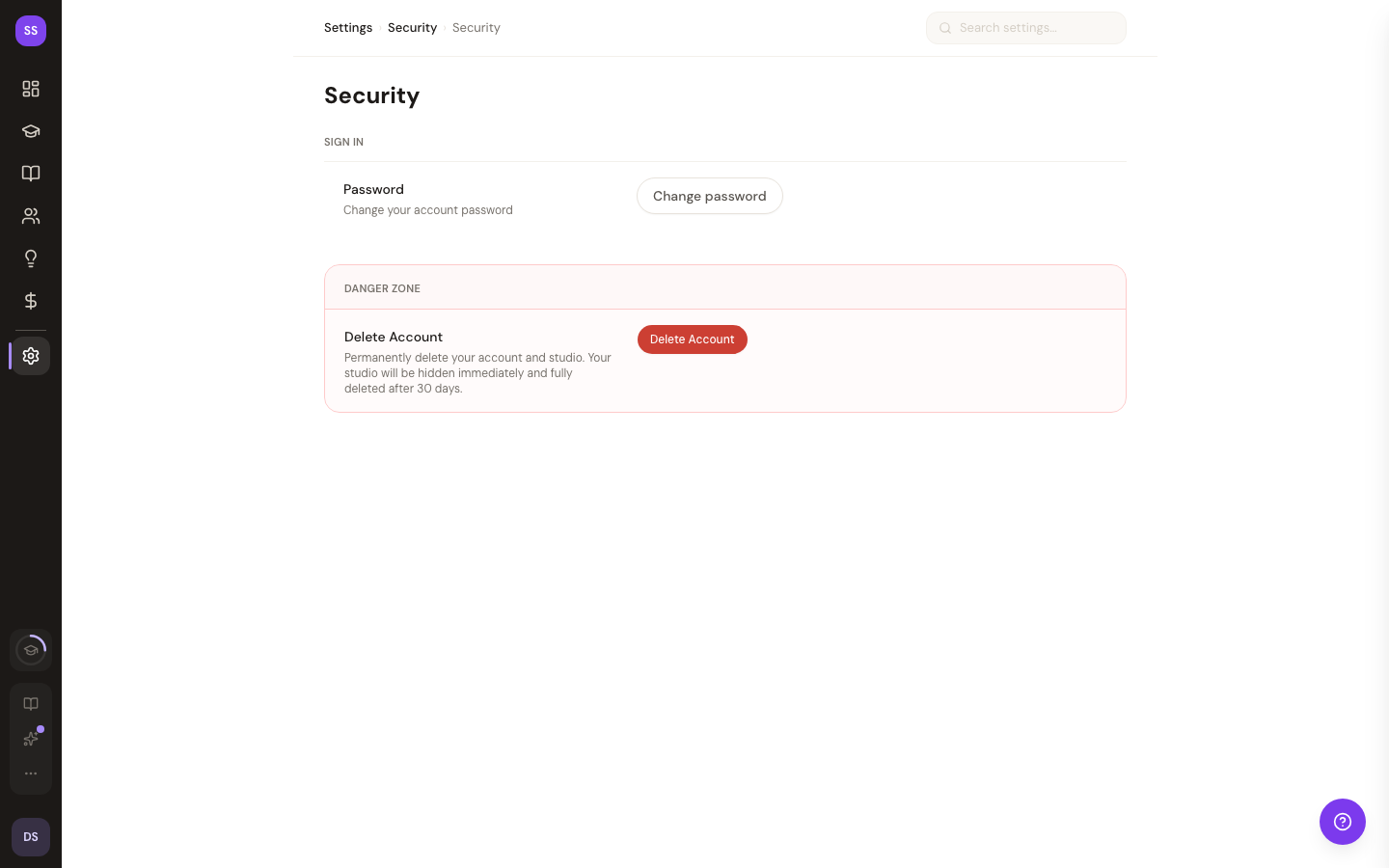
Password
The Password section lets you manage your account password.
- If you have a password: Click Change password to update it via the password reset flow
- If you signed up with Google: Click Set password to add password-based sign-in as a backup method
We recommend using a strong, unique password. If you also use Google OAuth, you'll have a backup way to sign in.
Account Deletion
If you need to permanently delete your account and studio:
How It Works
- In the Danger Zone section, click Delete Account
- Review what will happen:
- Your account is deactivated immediately
- Your studio is hidden from public view
- All data is permanently deleted after 30 days
- Booking records are anonymized (retained for compliance)
- Click Send Confirmation Email
- Check your email and click the verification link (expires in 30 minutes)
- Your account enters a 30-day grace period
30-Day Recovery Window
After confirming deletion, you have 30 days to change your mind. During this time:
- Your studio is hidden but not yet deleted
- A notice appears on your security settings page
- Contact support@studiobase.org to restore your account
After 30 days, deletion is permanent and cannot be undone.
Need Help?
Contact support@studiobase.org for account security questions.
Last updated February 7, 2026