Clients
The clients page shows everyone who has booked a class at your studio. You can browse your client list, view individual profiles, track booking history, and manage reward credits.
Go to Dashboard > Clients to access this page.
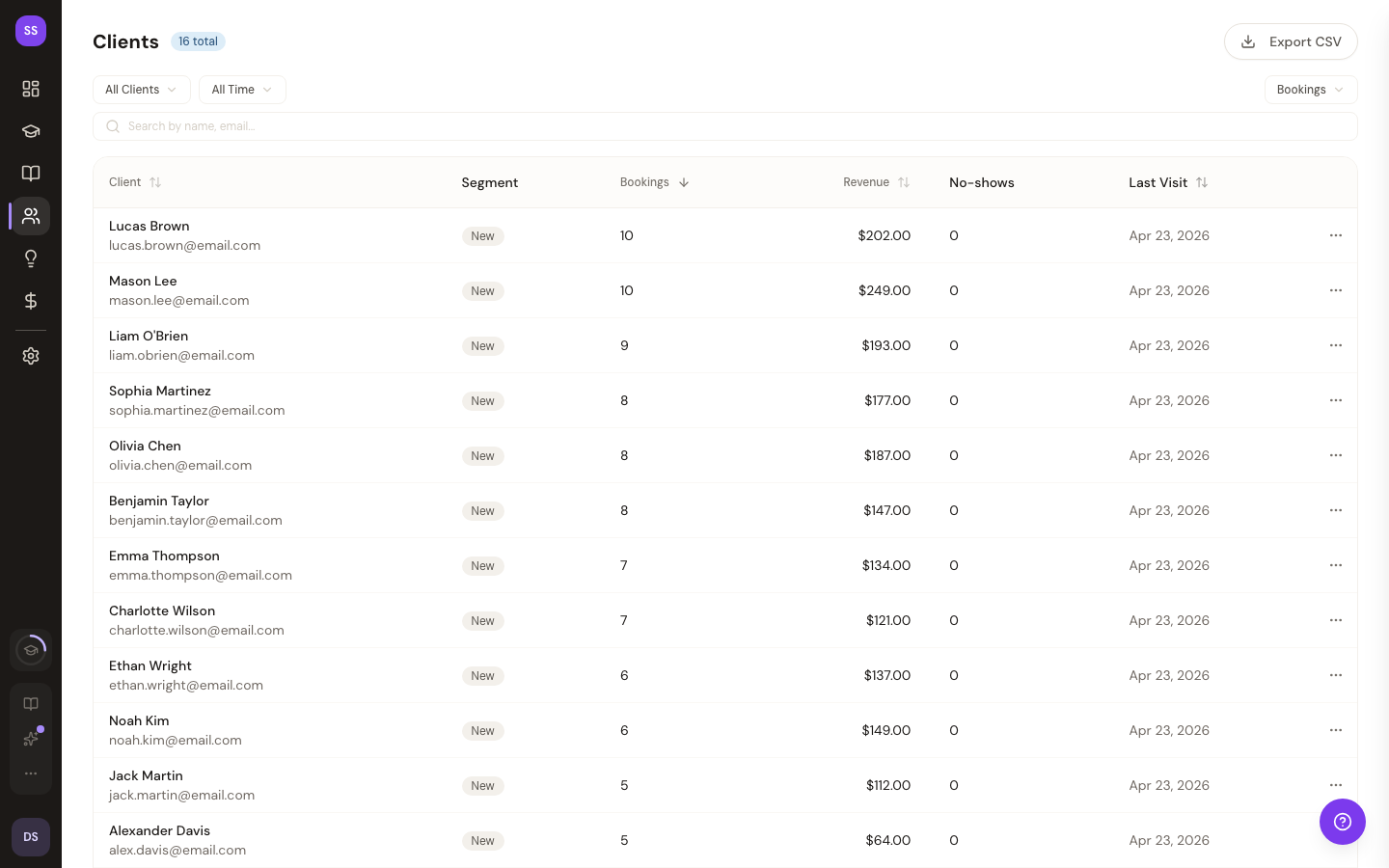
Client List
The main view shows a paginated list of all clients sorted by total bookings (most active first). Each entry displays:
- Email and name
- Total bookings — confirmed and cancelled counts
- Revenue — total amount paid
- No-shows — missed classes
- First and last booking dates
Click on any client to view their full profile.
Client Profile
Each client's profile page includes:
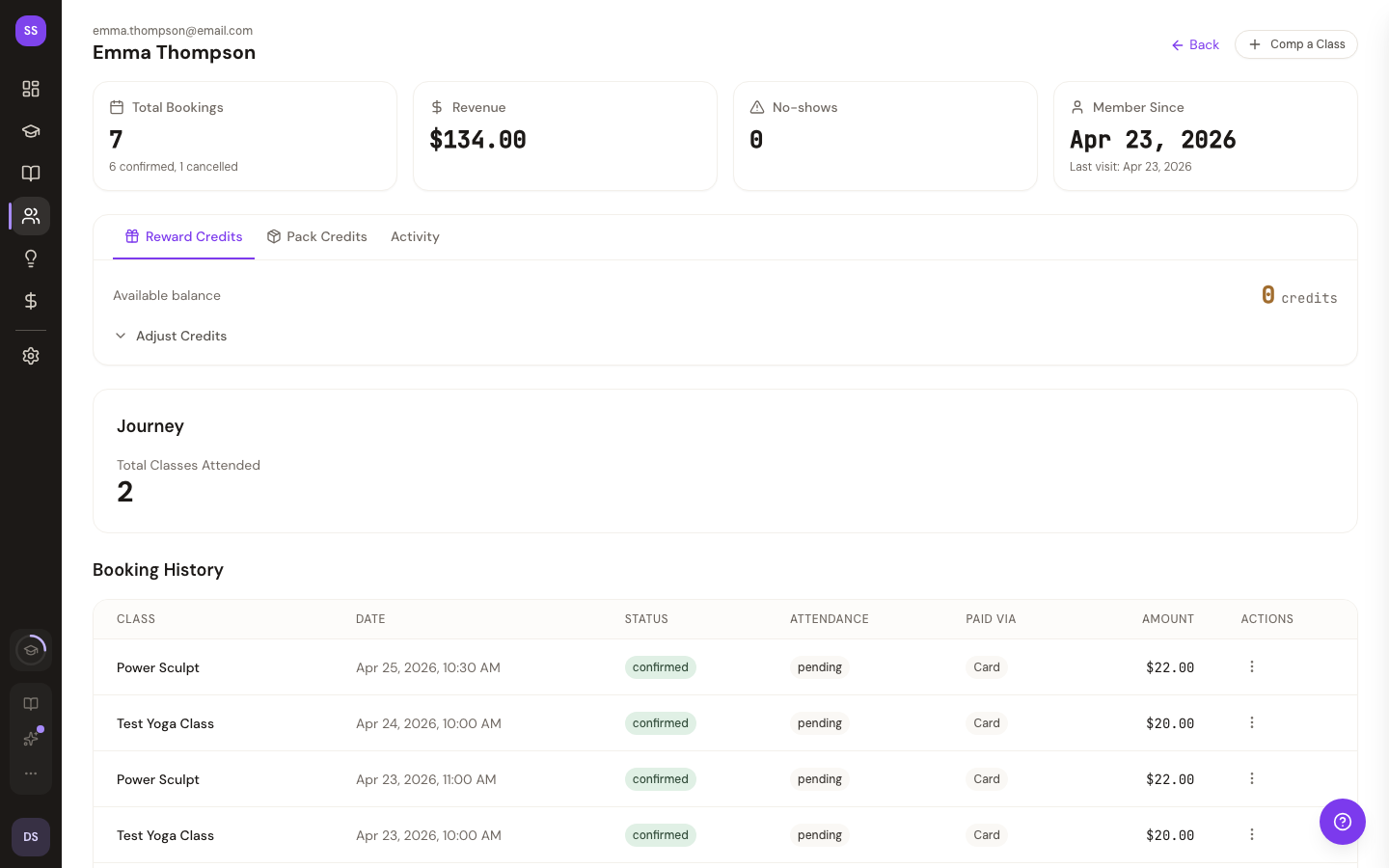
Stats Cards
Four summary cards at the top showing total bookings, revenue, no-shows, and how long they've been a member.
Reward Credits
If your studio has a rewards program, you'll see the client's current credit balance and an Adjust Credits form to manually add or remove credits. This is useful for corrections, promotional bonuses, or compensating for cancelled classes.
Class Pack Inventory
If the client has purchased class packs, a summary shows their total active credits across all packs. Expand for details on each pack including name, status, purchase date, expiration, and credit usage.
Booking History
A paginated table of all the client's bookings showing class name, date/time, booking status, attendance status, and amount paid.
Notes
On Growth plans and above, you can add notes to client profiles — useful for tracking preferences, injuries, or other information. Notes are timestamped and displayed in chronological order.
Custom Fields
On Growth plans and above, you can view and edit custom fields you've configured for your studio. Field types include text, number, date, dropdown, and boolean toggle.
Need Help?
Contact support at support@studiobase.org if you have questions about client management. For more details, see Client Management.