Add a Class (Quick)
The quick add class page lets you create a new class directly from your dashboard. You can use saved presets for instant setup or configure a custom class from scratch.
Go to Dashboard > Add Class or click the Add Class button on your dashboard.
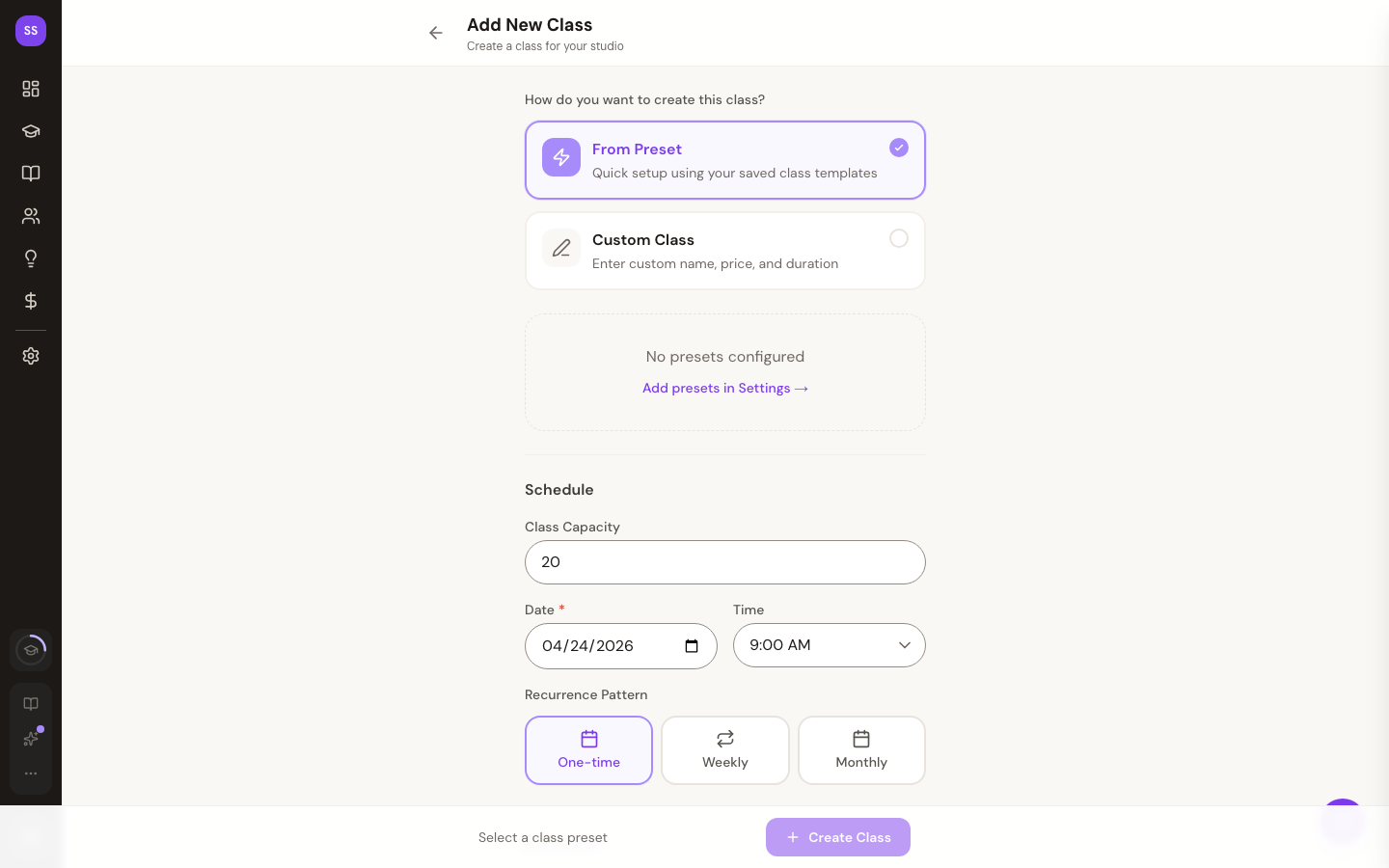
Using Presets
If you've created class presets, they appear as quick-select buttons at the top. Clicking a preset auto-fills the class name, duration, and price — you just need to pick a date and time.
If you don't have any presets yet, you'll see a link to create them in Settings.
For more on presets, see Class Presets.
Custom Class
To create a class from scratch, fill in:
- Class name — what students will see when booking
- Price — leave empty for free classes
- Duration — in minutes (minimum 15)
- Date — defaults to tomorrow
- Time — select from 15-minute increments between 5 AM and 10 PM
- Capacity — maximum number of students
- Instructor — choose from your active instructors
Recurring Classes
You can set up a class to repeat on a weekly schedule. When creating a recurring series, the system generates all future class instances automatically. For large series, you'll see a progress indicator during creation.
What's the Difference?
This page is for quickly adding individual classes or starting a recurring series. For step-by-step class management including modifying and cancelling classes, see:
- Add a Class — detailed guide
- Modify a Class
- Cancel a Class
Need Help?
Contact support at support@studiobase.org if you have questions about creating classes.