Penalties Settings
The penalties settings page lets you configure consequences for students who miss classes or cancel late. Penalties help reduce no-shows and encourage students to cancel in advance when they can't attend.
Go to Dashboard > Settings > Penalties to configure your policy.
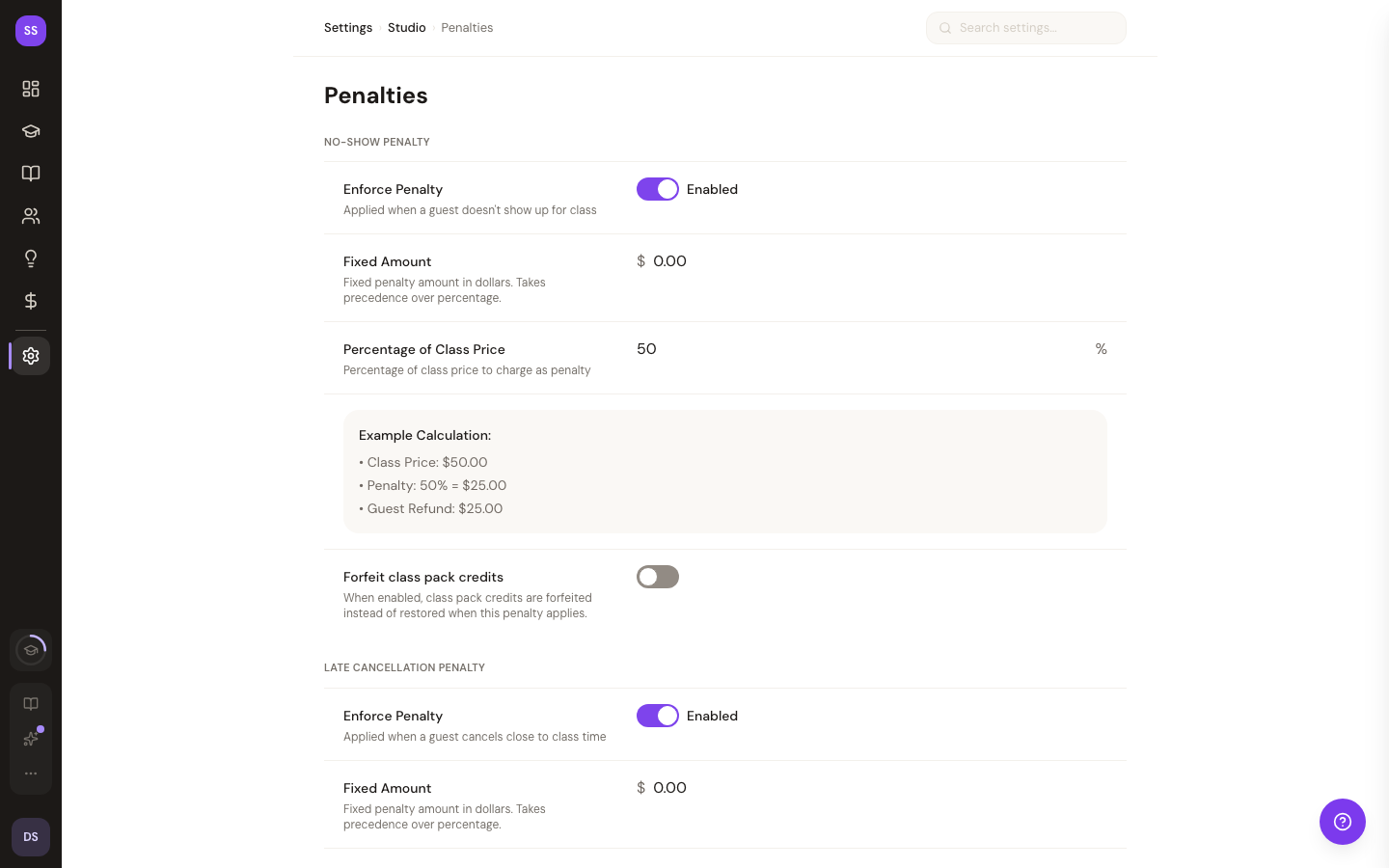
For details on how penalties apply during class management, see Penalty Settings.
Penalty Types
No-Show Penalty
Charged when a student doesn't show up for a booked class. You set the percentage of the class price that's charged as a penalty.
Late Cancellation Penalty
Charged when a student cancels after the cancellation deadline. You set both the deadline (hours before class) and the penalty percentage.
Forfeit Rules
Configure what happens to the booking payment when a penalty applies — whether the full amount, partial amount, or no amount is forfeited.
How It Works
- Configure your penalty percentages and cancellation deadline
- When a student no-shows or cancels late, the penalty is automatically applied
- Penalty amounts are visible on the class detail page
- Students see the penalty policy when booking
Need Help?
Contact support at support@studiobase.org if you have questions about penalty settings.